How it works
From your data to daily LOTO
Get your feeders in, tailor the project, work in the field — and connect your systems when you are ready.
01
Get the plant into Energizer
Start from the feeder list you already have. Import from Excel, pull from existing systems — or let us do the work with you.
Want a hand with import or setup? See assistance →
Excel
Convert the feeder list you have today
Systems
Pull data from SAP, AVEVA and more
With our help
We assist with import and setup

One lock log ready to use
02
Tailored to your project
From commissioning to operations: set up checklists, status updates, roles and workflow the way your crew works — not the other way around. Every project gets its own structure.
Project
Project X
Checklists
Isolation · Test · Release
Status updates
Open · Locked · Tested · Released
Phase
Commissioning → Operations
03
What the day looks like
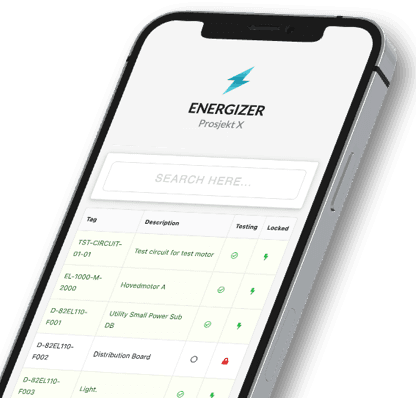
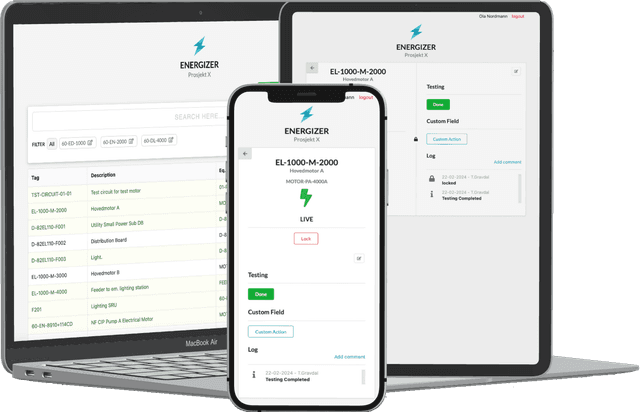
Search the feeder, lock and log from your phone at the switchboard. The control room sees the same picture — no spreadsheet chase.
- Lock, test and release where the work happens
- Live status on phone, tablet and big screen
- Full history per feeder — ready for shift change and audit
# Fetch status for a feeder
GET api.energizer.digital/v1/feeders/EL-1000-M-2000

{
  "feeder": "EL-1000-M-2000",
  "status": "locked",
  "lockedBy": "anna.nilsen"
}
04
Plug into your systems
Tap into Energizer via REST API and webhooks — or let Energizer talk to your systems. Lock status, events and history where you need them. We also support direct document storage references, so procedures and supporting files stay where your documents already live.
Ready to see it on your data?
Book a demo — bring a feeder list from your project if you like.
Book a demo